

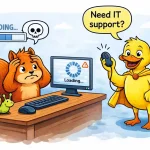
A slow computer can be incredibly frustrating. Whether you’re trying to run a business or simply get through daily tasks, delays, freezing screens, and long loading times can quickly impact productivity.
The good news is that most performance issues have clear causes — and in many cases, they can be fixed quickly with the right approach.
If your system has become noticeably slower, here are the most common reasons why — and what you can do about it.
For businesses and home users needing help, remote IT support in Essex can often resolve these issues quickly without the need for an on-site visit.
1. Too Many Programs Running in the Background
One of the most common causes of a slow computer is having too many applications running at once. Some programs start automatically when your computer boots up, using valuable system resources without you realising.
This can lead to slower performance, longer startup times, and reduced responsiveness.
How to fix it:
- Disable unnecessary startup programs
- Close applications you’re not using
- Restart your computer regularly
If you’re unsure what’s safe to disable, professional IT support can help optimise your system safely.
2. Not Enough Storage Space
When your hard drive or SSD is nearly full, your computer can struggle to operate efficiently. Systems need free space to manage temporary files, updates, and processes.
How to fix it:
- Delete unnecessary files and downloads
- Uninstall unused software
- Move files to cloud storage or external drives
Businesses in areas like Chelmsford and Witham often benefit from remote clean-up and optimisation services to improve system performance quickly.
3. Outdated Software or Operating System
Running outdated software can slow your system down and expose it to security risks. Updates often include performance improvements, bug fixes, and security patches.
How to fix it:
- Install the latest operating system updates
- Update key software and applications
- Ensure drivers are up to date
Regular updates are a key part of maintaining system performance and reliability.
4. Malware or Viruses
Malicious software can significantly slow down your computer by running hidden processes, consuming resources, and interfering with normal operation.
Common signs include:
- Unexpected pop-ups
- Programs opening on their own
- Unusual system behaviour
- Sudden performance drops
How to fix it:
- Run a full antivirus scan
- Remove suspicious programs
- Install reliable security software
Many issues like this can be resolved quickly using remote computer support services, without needing to bring your device anywhere.
5. Hardware Limitations or Ageing Devices
Sometimes, the issue is simply that your computer is no longer powerful enough for modern software and workloads.
Older machines may struggle with:
- New operating systems
- Cloud-based applications
- Multiple programs running at once
How to fix it:
- Upgrade RAM or storage
- Switch to an SSD if still using a traditional hard drive
- Consider replacing outdated hardware
An experienced IT provider can advise whether an upgrade or replacement is the most cost-effective option.
6. Internet or Network Issues
Sometimes what feels like a slow computer is actually a slow internet connection. Cloud services, email, and web applications all rely on stable connectivity.
How to fix it:
- Restart your router
- Check your broadband speed
- Improve Wi-Fi signal strength
- Use wired connections where possible
Businesses in locations such as Southend-on-Sea and Maldon often experience improvements with proper network configuration and troubleshooting.
Takeaway Points
A slow computer is usually a sign that something needs attention – but it doesn’t always mean you need a new device.
In many cases, performance issues can be resolved quickly with the right adjustments, updates, or clean-up.
If you’re unsure where to start or want a quick solution, professional IT support can diagnose and fix problems efficiently, often during a single remote session.
If you need help improving your computer’s performance, feel free to get in touch – we’re always happy to help.


)
&description=&image=https://www.anditconsulting.co.uk/wp-content/uploads/2026/04/remote-it-support-essex-cartoon-duck-squirrel-1024x683.webp)